Mil-Ai-Assist
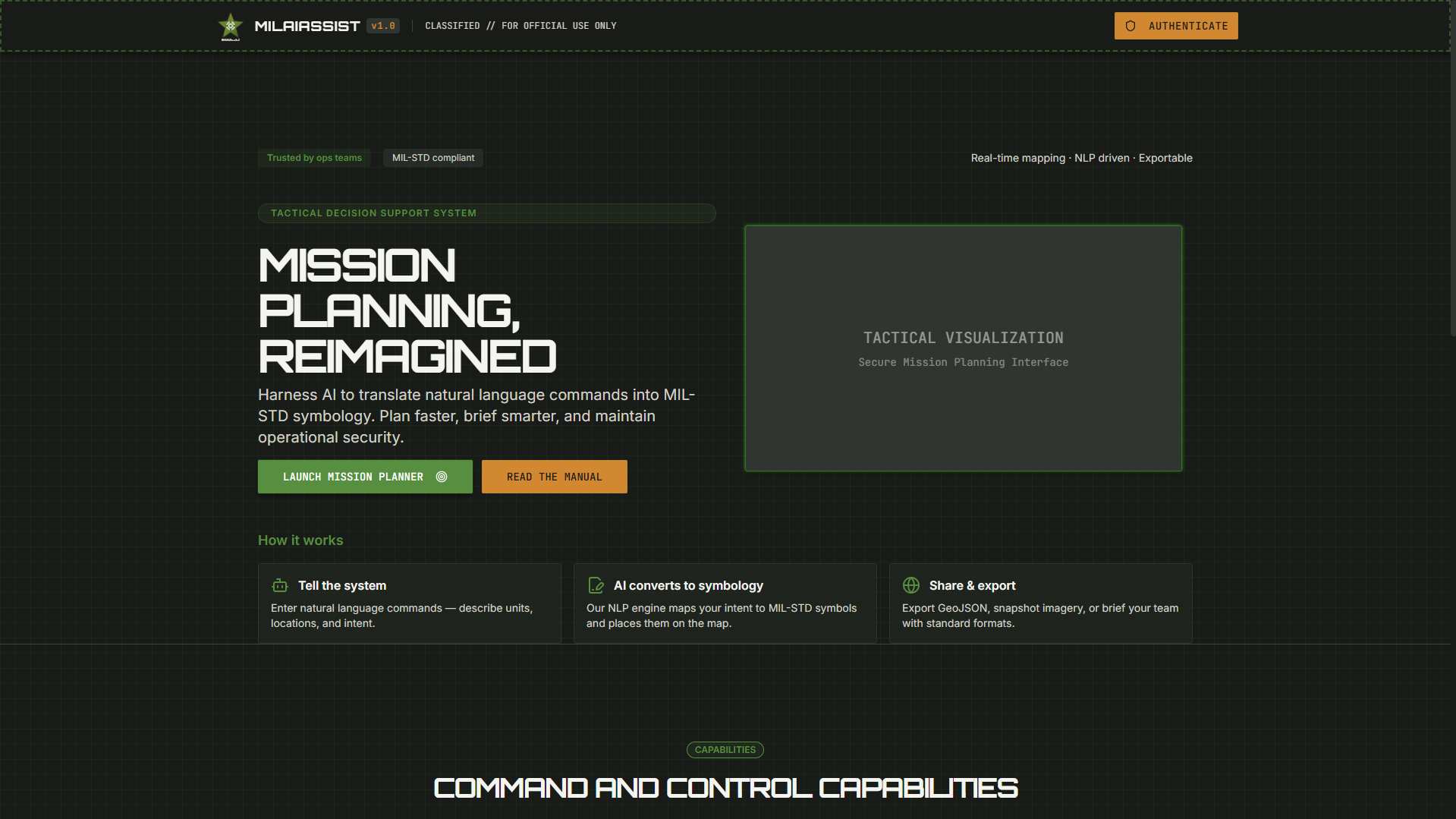
A React + Tailwind UI/UX concept for an AI assistant dashboard, focused on clean information hierarchy and fast, friendly interactions
- Client
- Proprietary
- Role
- Lead Engineer
- Year
- 2026
- Field
- Product Design
Mil-Ai-Assist
Mil-Ai-Assist is a portfolio UI/UX project exploring how an AI assistant product could feel inside a modern web dashboard. The work focuses on product design decisions—information architecture, component hierarchy, and interaction patterns—implemented as a lightweight React interface styled with Tailwind.
Problem
AI assistants can be powerful, but many interfaces still struggle with:
- Clarity: too many controls and states competing for attention
- Trust: unclear “what happened / why” after an assistant action
- Flow: friction between browsing context and taking action
This project explores a dashboard experience where the assistant is present, helpful, and unobtrusive—supporting user goals without taking over the UI.
Goals
- Create a clean, scalable layout that can support multiple assistant capabilities.
- Establish a consistent component language (spacing, typography, color, states).
- Design interaction patterns that make assistant output feel traceable and controllable.
- Keep the UI implementation practical using React + Tailwind for fast iteration.
Design Approach
1) Information hierarchy first
The layout is designed to answer three questions at a glance:
- What is happening now?
- What did the assistant do (or suggest)?
- What can I do next?
Key choices:
- Strong separation between primary workspace and assistant panel / thread.
- Clear typographic scale and spacing rhythm to reduce cognitive load.
- Emphasis on “next actions” to support momentum.
2) Component-driven UI system
Reusable components were prioritized so the design can grow without visual drift:
- Navigation + layout primitives (shell, panels, sections)
- Cards / containers for content grouping
- Buttons, inputs, and feedback states (hover/focus/loading)
- Thread/message patterns for assistant conversations
Tailwind utilities were used to lock in:
- consistent spacing tokens
- responsive behavior
- predictable state styling (focus rings, disabled styles)
3) Interaction patterns for assistant experiences
The concept includes UX patterns commonly needed in assistant products:
- A conversational thread that supports multi-step tasks
- Message structure that distinguishes assistant output vs. user intent
- A lightweight control surface for follow-ups (e.g., refine, retry, copy)
- Clear feedback when actions are running or completed
What I Built
- A React-based UI prototype to validate the layout and component system.
- Tailwind styling for rapid iteration and consistent visual rules.
- A portfolio-ready structure demonstrating design thinking through implementation.
Outcomes & Learnings
- A minimal assistant UI works best when actions are explicit and the UI makes it easy to see what changed.
- Consistency in spacing/typography is a major “trust” factor—especially for assistant output.
- Building the UI as components makes it easier to test variations in layout and interaction without redesigning from scratch.
Next Steps (If Extended)
- Add a formal design token layer (colors/type/spacing) aligned to a brand system.
- Introduce conversation “artifacts” (generated summaries, checklists, drafts) with dedicated UI containers.
- Add empty, error, and loading states for every major surface.
- Expand accessibility testing (keyboard navigation, contrast, focus handling).
Role: Product Design + UI Implementation
Stack: React, Tailwind CSS
Year: 2026